Chie for iPhone · Free beta
Everything you meant to come back to, kept.
The video, the post, the screenshot, the text from Mom. Share it into Chie from any app in one tap, and find it again with a word. It all stays on your iPhone.
No account. Install TestFlight from the App Store, then open the link on your iPhone.


- Share from Safari
- Add a few words
- Find it with one
From any app
Save it from wherever it is.
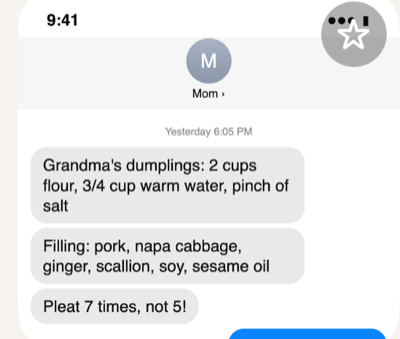
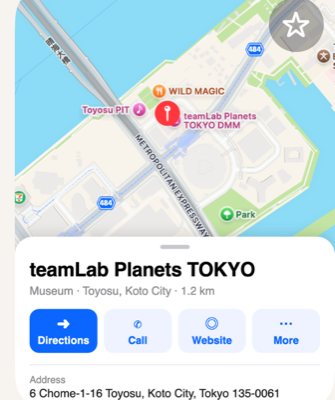
If it has a Share button, Chie can keep it. Here are a few of the things people save, each kept looking like what it is.


Share from any app
Add Chie to your share sheet’s Favorites and it’s always first in line.
A few words, or none
“Mom’s dumplings”, “watch with Leo”. Optional, and you can add them later.
Find it by a word
Chie searches your words, links and files, and the text inside every screenshot.
Find it again
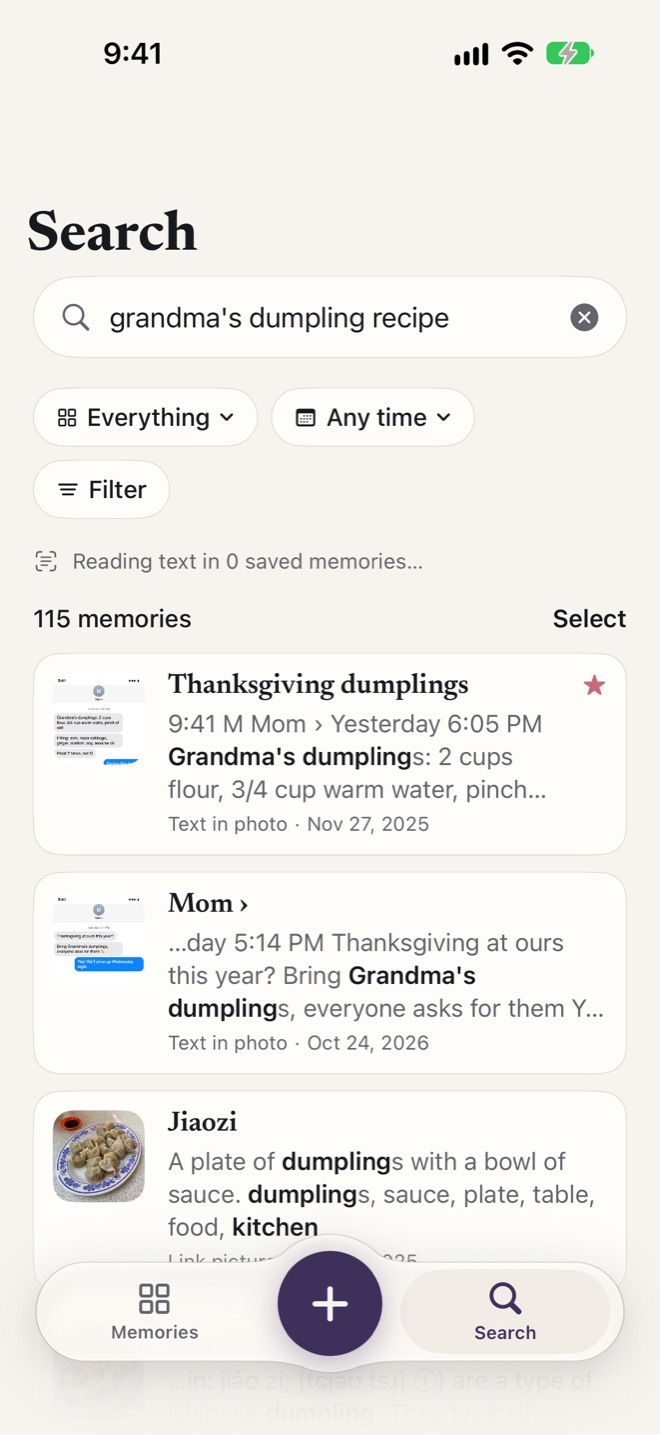
Search the way you remember it.
You don’t remember where you saved Grandma’s recipe. You remember it was Grandma’s, and dumplings. Type that, and the text Mom sent last Thanksgiving comes back, because Chie reads the words in every screenshot and scan.
On iPhones with Apple Intelligence, Chie also understands what’s in your photos and what your questions mean.
Your codes
Tonight’s ticket, already open.
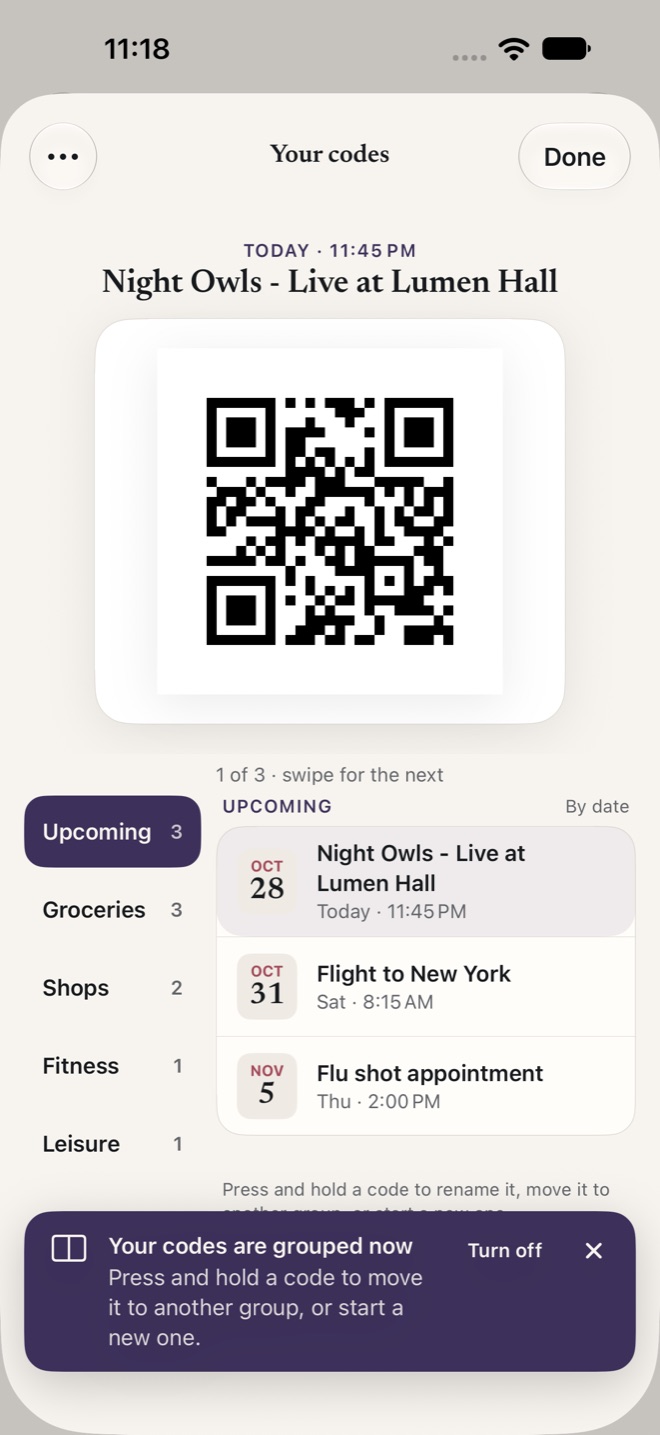
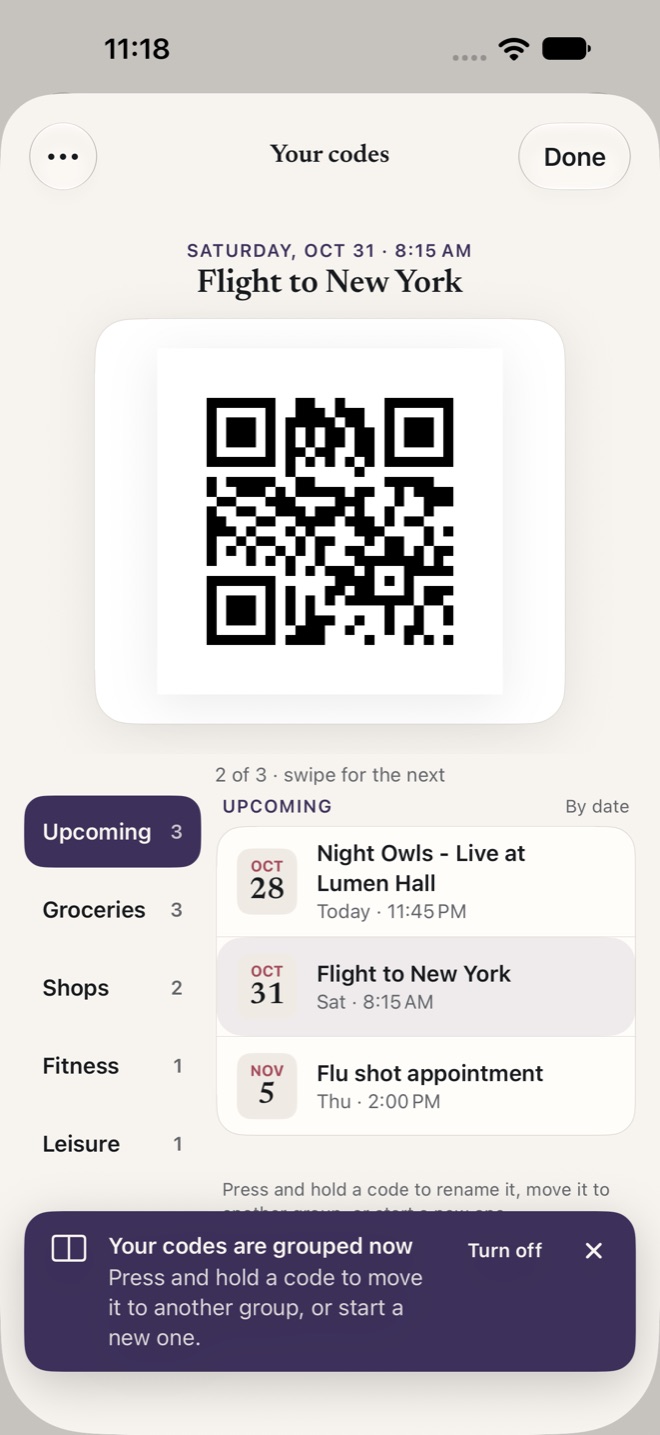
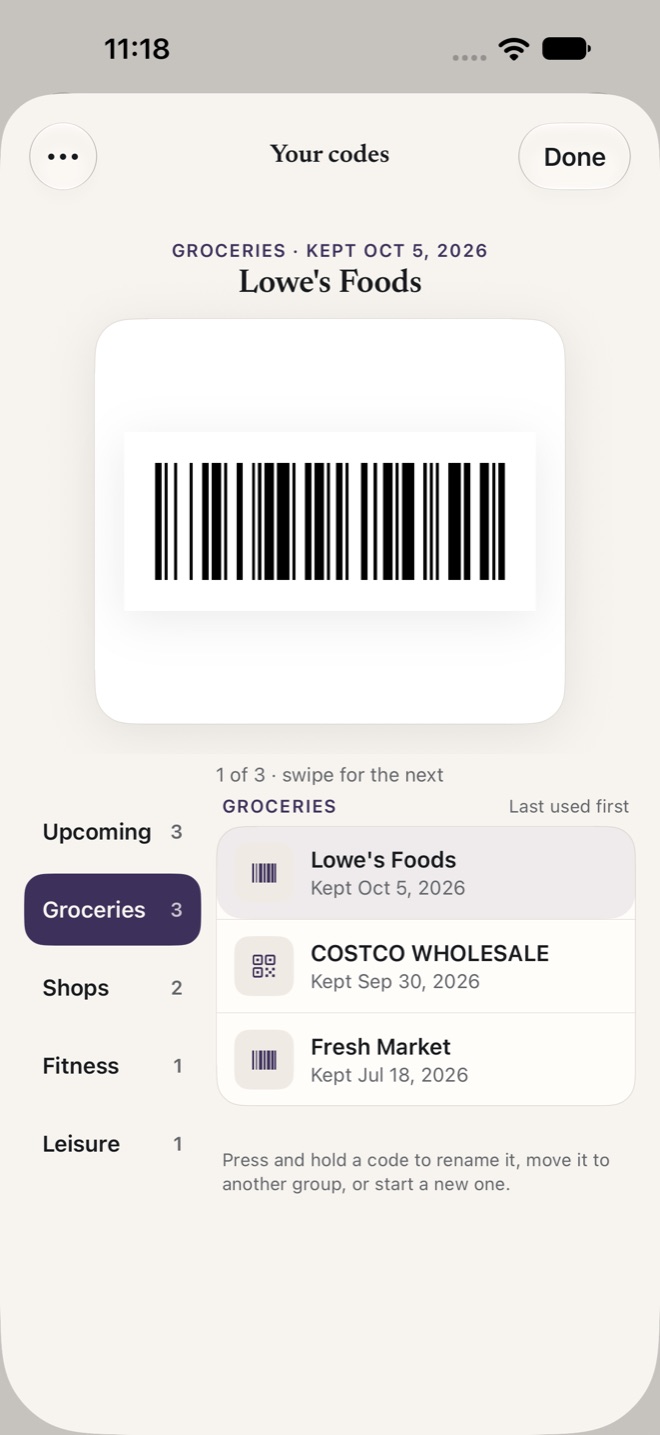
Screenshot a ticket, a boarding pass or a membership card, or take a photo of it. Chie finds the code and keeps it ready.
- On the day, the ticket comes first, big and bright.
- Store and gym cards, the one you used last on top.
- A photo of a card becomes a clean code a scanner can read.
- One tap from home, Control Center, Siri or Chie’s icon.
Bring in screenshots
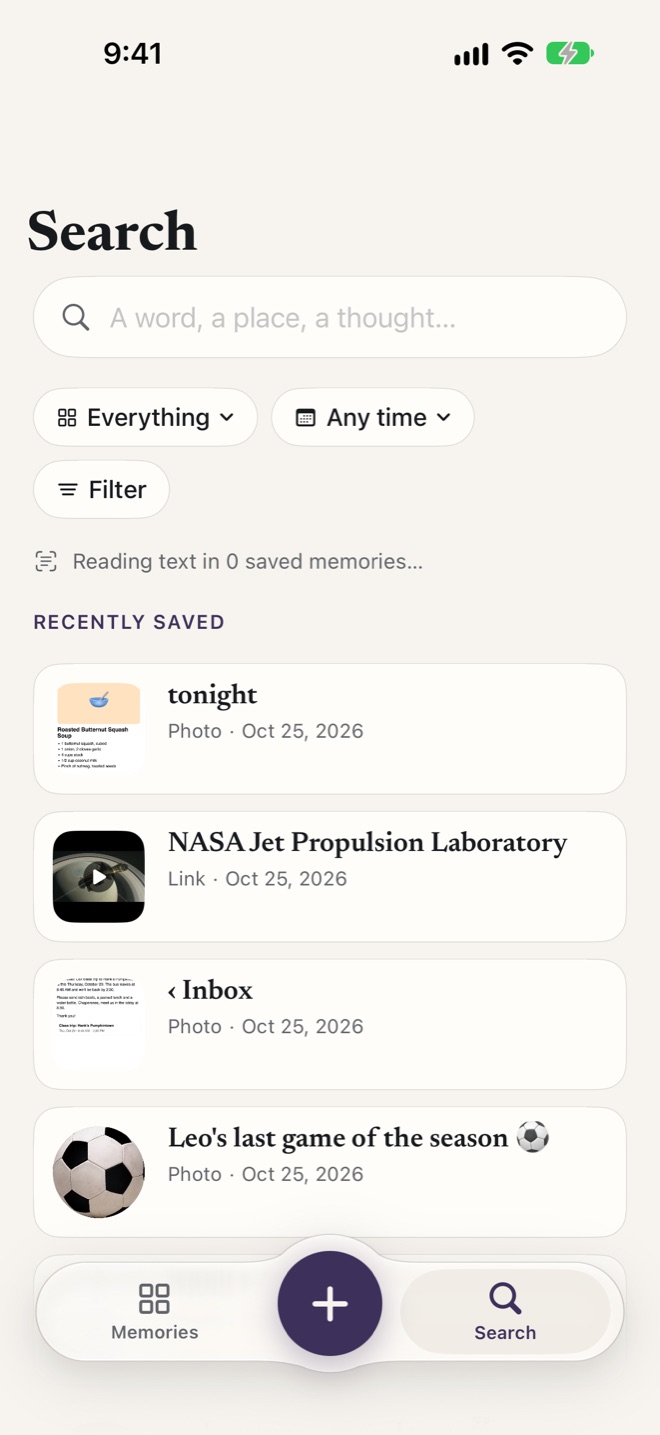
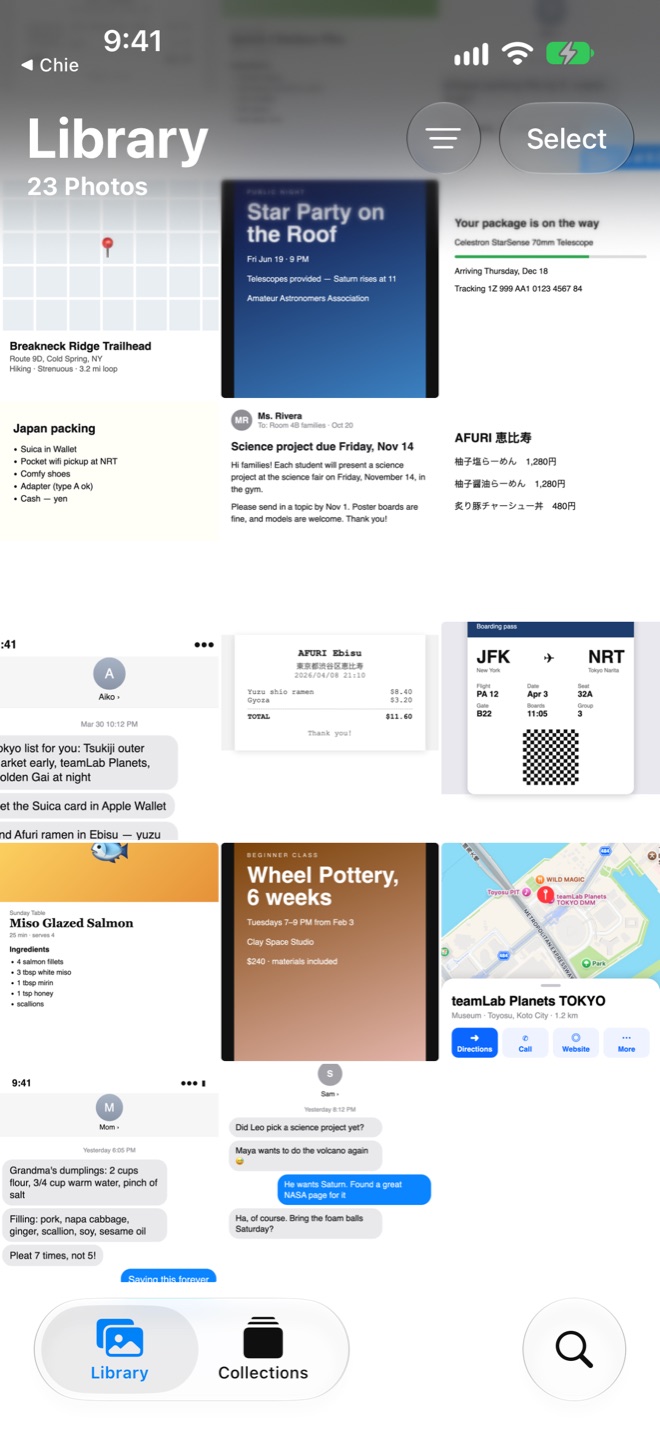
All those screenshots, finally findable.
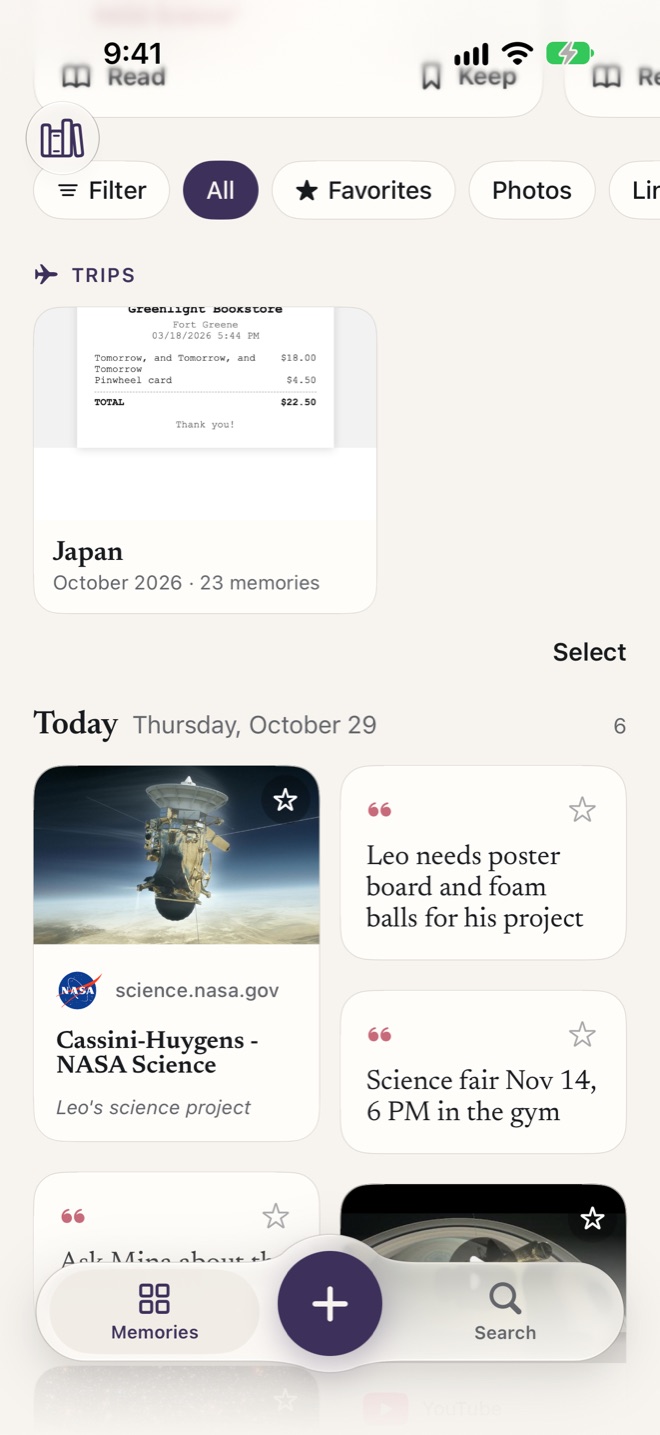
Bring months of them into Chie in one go. Chie reads every one, gathers the trips among them, and can clear the originals out of Photos when you’re done.
Come back to it
Saves that pay off.
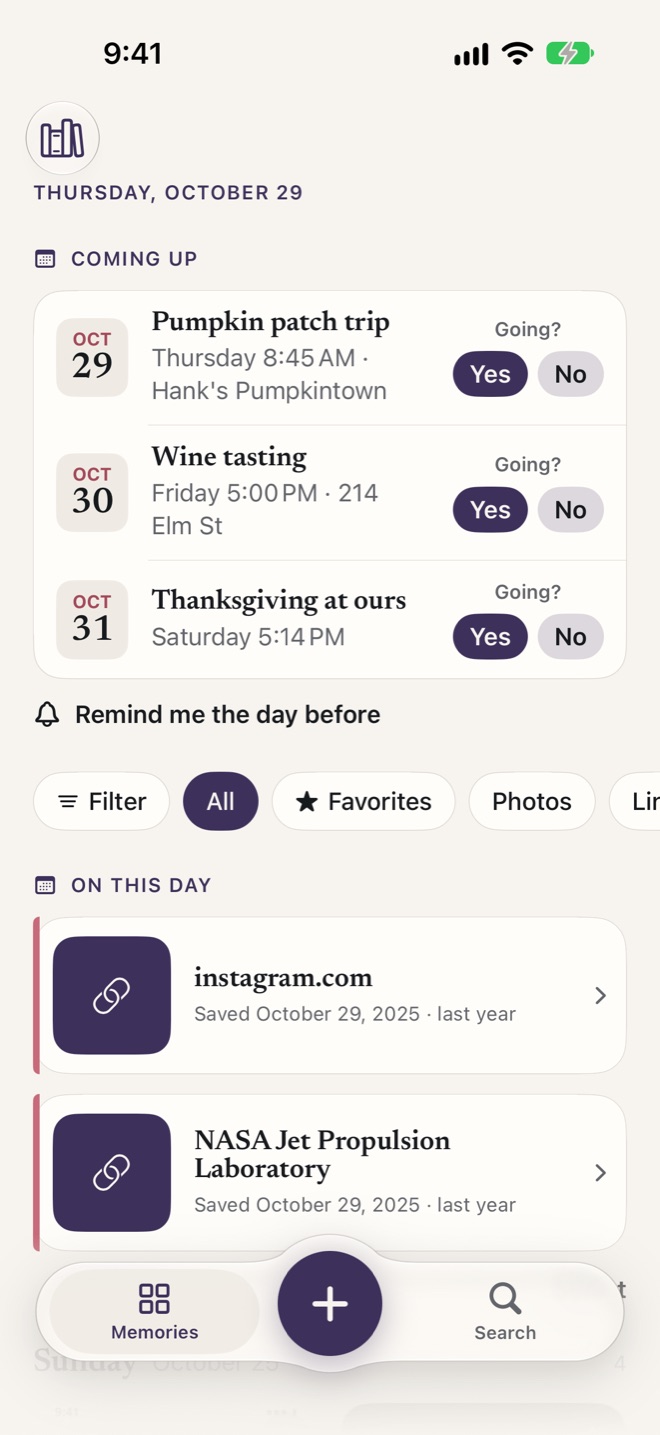
Plans you saved show up in Coming up, with “Going?” and a reminder the day before. Each day brings back what you kept on this day in past years, and a moment from history that matches what you save.
Notes is for writing. Photos is for photos.
Chie is for everything you meant to come back to.
The reel, the recipe, the ticket, the text from a friend. Shared from any app, in your own few words, and found again with one.
Private by design
Kept for you. Only you.
Chie needs no account and has no servers holding your things. Apple Intelligence does its reading on your iPhone.
On your iPhone
Memories, search and photo descriptions stay on the device. No ads, tracking or analytics.
Locked when you want
Turn on Face ID or Touch ID, and Chie asks every time you come back.
Backed up to your iCloud
Automatic backups go to your own iCloud Drive, and you can export everything as a file.

Kinko金庫
A safe inside Chie, for what’s just yours.
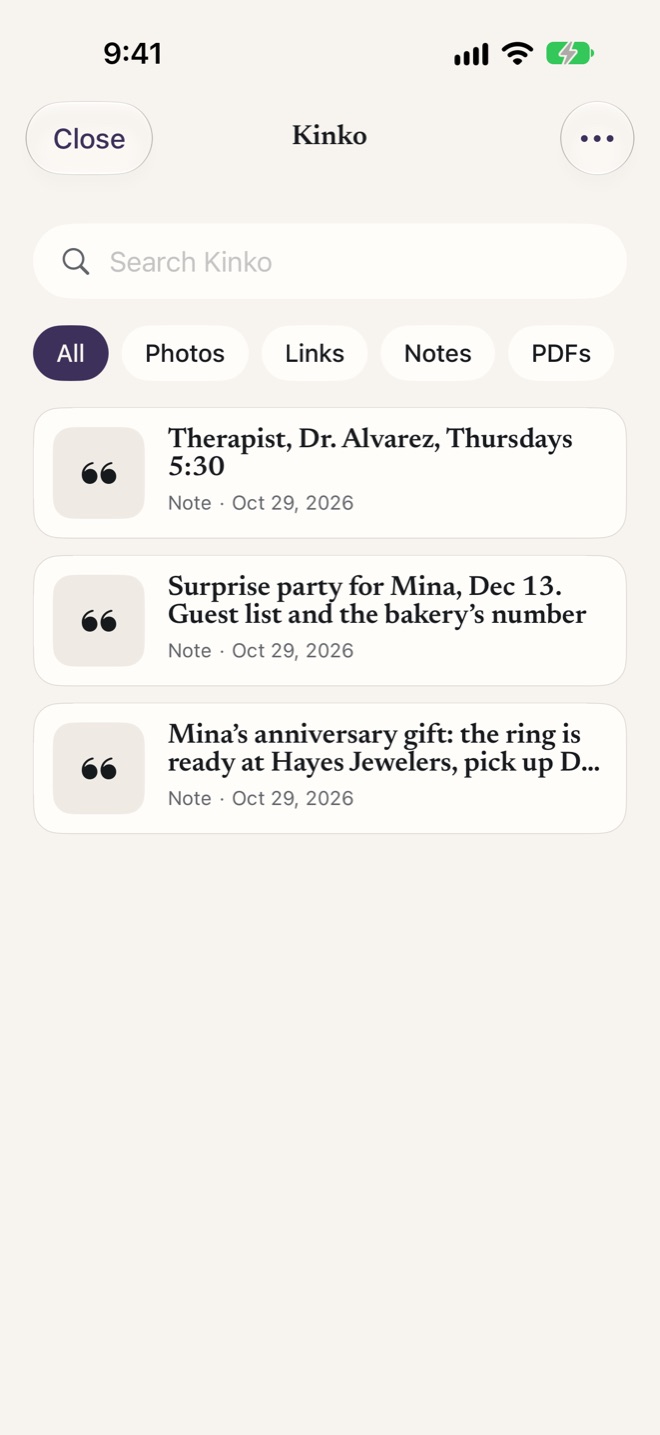
The surprise you’re planning, a note you’d rather no one saw when you hand over your phone. Move it to Kinko and it leaves your home screen, search and Coming up.
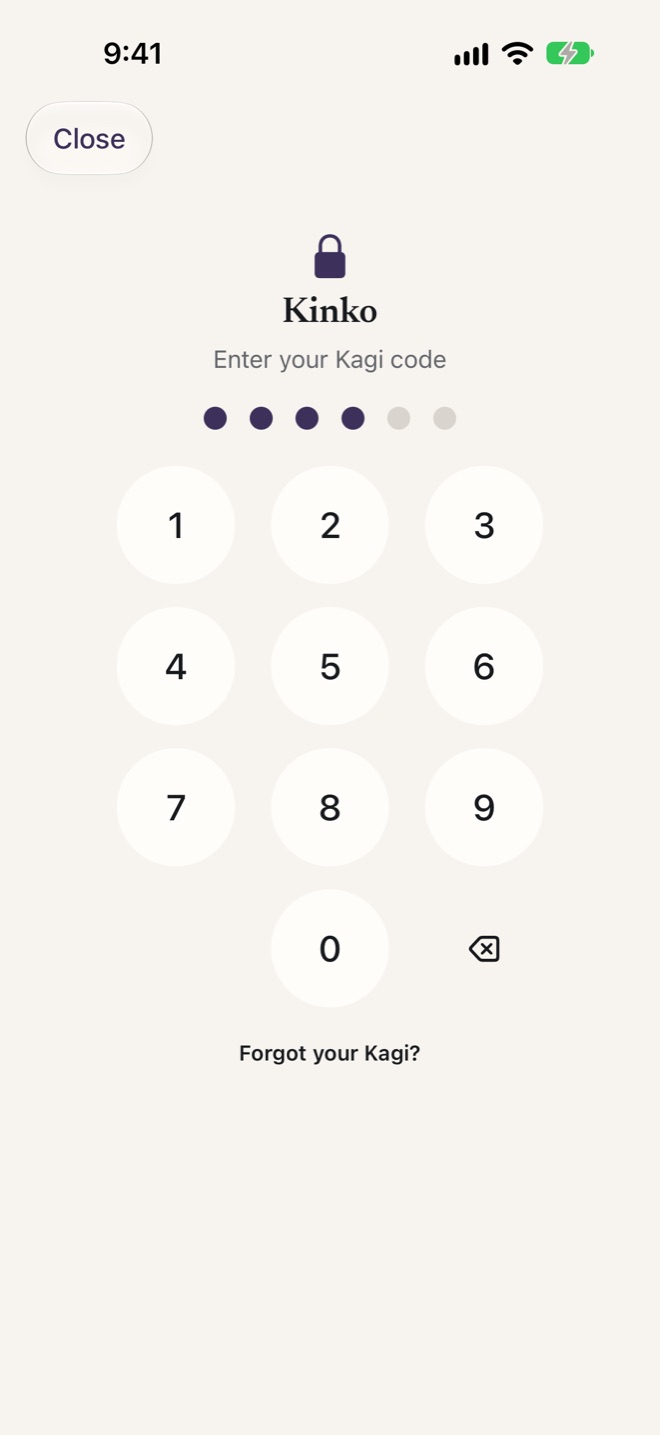
- Opens only with your Kagi (鍵), a pattern or a 6-digit code you choose, separate from your iPhone passcode and Face ID.
- Start a note with “Kinko” and it goes straight in, from the share sheet too.
- Sealed in your backups and when it syncs, so it stays locked there as well.
- Nobody can open it without your Kagi, not even us. If you forget it, you can erase Kinko and start again.
Try Chie
Free while it’s in beta.
Join the beta
- Install TestFlight from the App Store.
- Open the beta link on your iPhone, then tap Accept and Install.
- Tell us what feels off, from Chie’s Library.
When Chie launches
A month free
Then $2.99 a month, or $24.99 a year. One plan with everything, no ads, and your data is never what pays for it.